> For the complete documentation index, see [llms.txt](https://docs.getint.io/llms.txt). Markdown versions of documentation pages are available by appending `.md` to page URLs; this page is available as [Markdown](https://docs.getint.io/getintio-platform/scripts-library.md).
# Scripts Library
### Getint Scripts Overview
The scripts library is a repository of user-defined scripts that can be used to modify or enrich data during synchronization. These scripts are written in JavaScript and executed at runtime, allowing for dynamic transformations, conditional logic, and custom field mappings.
By storing scripts in a shared library, they can be written once and used across multiple syncs, reducing setup time, minimizing errors, and allowing users to revert changes if needed. Updates to a script in the library automatically apply to all syncs that reference it, making it easier to manage changes and ensure alignment.
#### How to Use the Scripts Library
To access the scripts library, navigate to **Workflows**, then click on the **Scripts Library** section in the Getint dashboard.
From there, you can:
* Create new scripts using the built-in editor.
* Disable, edit, or delete scripts as needed.
* Test scripts before applying them to live syncs.
Each script can be labeled and described for clarity, making it easier to identify its purpose and usage.
#### How to Avoid Creating Duplicate Scripts
When working with the scripts library, it’s important to ensure that each function you create is unique. Duplicate functions can cause conflicts and make it harder to maintain your codebase. To avoid this, follow these steps:
* **Create a new script**: Inside the script, define a function. The script's filename is not critical, but the function name is. Always choose a name that hasn’t been used in other scripts to prevent duplication.
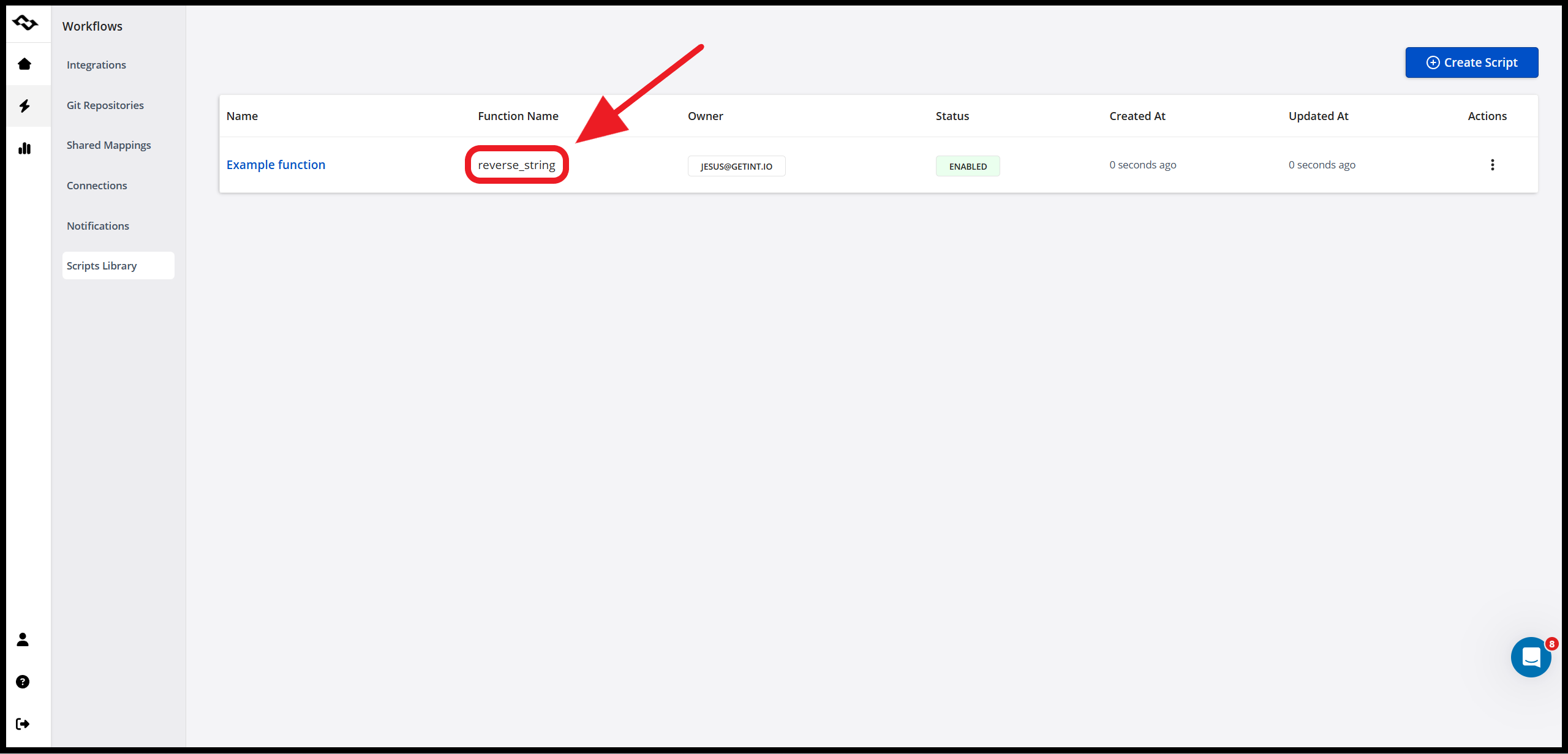
* **Save and verify**: After saving the script, check the list of scripts. You should see your function name displayed in the second column, which helps confirm that it's distinct and properly registered.
* **Use the function consistently**: After saving, the script is enabled for use. Call it from any hook using `utils.{nameOfFunction}()`.
* **Amend functions when needed**: If anything needs to change inside the function, simply update it directly within the script.
* **Handle special cases in hooks**: For scenarios where you need to do specific things beyond invoking the function, manage those directly in the relevant hooks.
#### Best Practices
* Keep scripts modular and focused on specific tasks.
* Use clear naming conventions to improve readability.
* Test scripts thoroughly before deployment.
* Regularly review and clean up unused or outdated scripts.
* Review the logs if the scripts are failing.
#### Support
If you have any questions about the scripts library or need assistance with your integration setup, our team is here to help. Whether you're troubleshooting a specific issue or looking for guidance on best practices, feel free to reach out.
You can contact us through the following channels:
* **Email**: .
* **Live Chat**: Available directly within the Getint dashboard.
* **Help Center**: Visit our [Help Center](https://getintio.atlassian.net/servicedesk/customer/portals) to open a support ticket, and [Docs](https://docs.getint.io/) for detailed articles and FAQs.
We aim to respond promptly and ensure you have the support you need to make the most of your Getint experience.
---
# Agent Instructions
This documentation is published with GitBook. GitBook is the documentation platform designed so that both humans and AI agents can read, navigate, and reason over technical content effectively. Learn more at gitbook.com.
## Querying This Documentation
If you need additional information that is not directly available in this page, you can query the documentation by asking a question.
Perform an HTTP GET request on the following URL with the `ask` and `goal` query parameters:
```
GET https://docs.getint.io/getintio-platform/scripts-library.md?ask=&goal=
```
`ask` is the immediate question: it should be specific, self-contained, and written in natural language.
`goal` is what the user is ultimately trying to achieve, the reason they need the answer. Sharing it helps GitBook give you a better, more relevant answer. A goal is most helpful when it describes the outcome the user wants rather than restating the question. For example, with `ask=how do I create an API token`, a goal like `automate deployments from our CI pipeline` lets GitBook tailor the answer to that use case.
The response will contain a direct answer to the question and relevant excerpts and sources from the documentation.
Use this mechanism when the answer is not explicitly present in the current page, you need clarification or additional context, or you want to retrieve related documentation sections.